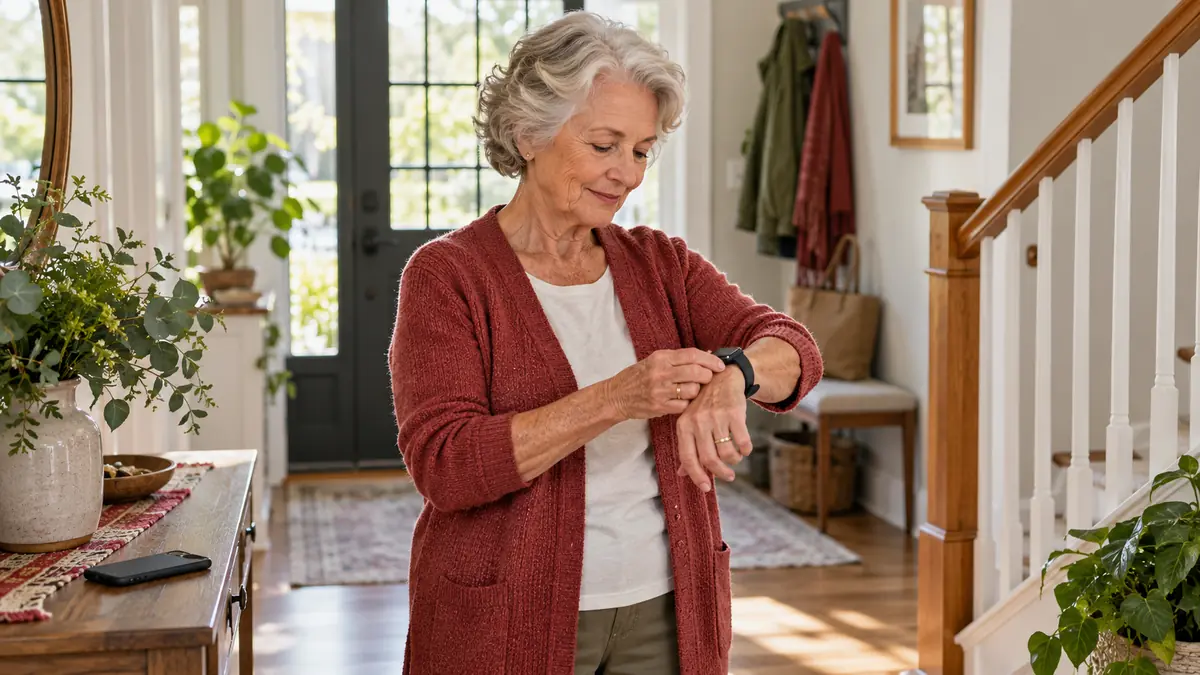
Wearable fall detection can add a useful layer to an older adult’s safety plan, especially when a person lives alone or spends time away from a phone. But the technology is not a guarantee: a device can miss a fall, mistake ordinary movement for one, lose its connection, or be out of reach because it is charging. This guide explains what fall-detection wearables can realistically do, how to compare them, and how to build a response plan around their limitations.
Practical note: fall detection is primarily a way to request help after a possible fall. It does not replace clinical fall-risk assessment, strength and balance work, medication review, vision care, or changes that make a home safer.
What wearable fall detection actually does
Most wearable systems use motion sensors such as accelerometers and gyroscopes. Software looks for a pattern that resembles a fall: a rapid change in movement, an impact, and sometimes a period of little movement afterward. If the pattern crosses the system’s threshold, the watch, pendant, or clip may vibrate, sound an alarm, and display a prompt. Depending on the device and settings, the user can cancel the alert, contact a monitoring center, call emergency services, or notify selected contacts.
That sequence matters because “fall detection” can describe very different services. One device may only show a prompt on a paired phone. Another may connect to a staffed response center. A cellular model may work away from home, while a Wi-Fi-only device may lose key functions outside its network. Before comparing style or price, determine who receives the alert, how the connection is made, and what happens when the wearer cannot respond.
A fall detector is best understood as one link in a response chain: sensing an event, sending an alert, reaching a person, and getting appropriate help.
Why automatic detection is difficult
Laboratory accuracy is not everyday accuracy
Researchers can test sensors with staged falls, but real falls are more varied. A person may slide slowly from a chair, lower to the floor, collapse without a large impact, or land on a soft surface. Clothing, device position, walking aids, movement patterns, and whether the device stays on the body can all affect the signal. A 2021 umbrella review found encouraging accuracy in earlier reviews, yet also concluded that better research is needed in frail older adults under real-world conditions.
An earlier systematic review made the same practical point: many systems had been described, but relatively few wearable projects had been tested with older adults in everyday settings. That evidence gap is why a single advertised accuracy percentage should not be treated as a personal guarantee.
Missed alerts and false alarms are both possible
A missed alert can delay help. A false alarm can create anxiety, contact family unnecessarily, or make the wearer stop using the device. Systems often ask the wearer to confirm or cancel an alert to balance those risks. That safeguard works only if the prompt is noticeable and the controls are manageable after a frightening event.
Safety note: anyone who may lose consciousness, become confused, or be unable to operate a screen should not rely on a cancel-or-confirm prompt as the only route to help.
Compare the main types of fall-alert systems
| System type | Typical connection | Potential strength | Important limitation |
|---|---|---|---|
| Smartwatch with fall detection | Paired phone, Wi-Fi, or cellular plan | Combines alerts with a familiar everyday device | Battery life and settings vary; some features depend on a phone or plan |
| Medical alert pendant or wrist unit | Home base station or cellular network | Simple controls and optional monitoring center | May require a subscription and may have a defined coverage area |
| Clip-on sensor | Phone, hub, or cellular connection | Can be worn on a belt or clothing | Position may change, and it is easy to leave on another garment |
| Home sensor system | Home internet or dedicated hub | No wearable to charge or remember | Coverage can have blind spots and does not travel outside the home |
No category is automatically best. A technically sophisticated watch is not helpful if the wearer dislikes touchscreens or forgets to charge it. A simple pendant may be more dependable for one person, while someone active outside the home may prioritize independent cellular service and location sharing.
Features that matter more than the marketing label
Product pages often lead with automatic detection, but the less dramatic details determine whether the system works in daily life. Compare the complete response pathway and test it in the places where the wearer actually spends time.
| Question to ask | Why it matters | How to verify it |
|---|---|---|
| Who receives the alert? | A monitoring center, emergency service, and family contact provide different responses | Read the alert sequence and perform a scheduled test |
| Does it work away from the phone? | A paired device may lose communication when the phone is distant | Test outdoors and in common rooms with the phone left behind |
| How long does the battery last? | Protection stops while a device is depleted or charging | Track real use for one week, including alerts and calls |
| Is it water resistant? | Bathrooms are important places for coverage | Check the exact water rating and care instructions |
| Can the wearer hear, feel, and cancel a prompt? | Small text, weak vibration, or complex controls may create errors | Practice while seated and in a noisy room |
| Are location and cellular service included? | Location can help responders, but network coverage and fees vary | Review the service agreement and test known weak-signal areas |
Set up the device as a complete system
Setup is not finished when the device turns on. The goal is a rehearsed pathway from an alert to a useful response. Use this sequence with the wearer’s consent:
- Choose the responders. Ask each contact whether they can receive alerts, at what hours, and what they should do.
- Confirm critical details. Add the correct address, apartment access information, and emergency contacts where the service permits.
- Enable the intended features. Automatic detection, location sharing, calling, and health permissions may have separate settings.
- Run a planned test. Use the manufacturer’s test process rather than deliberately falling. Confirm sound, vibration, connectivity, and contact delivery.
- Practice cancellation and help calls. The wearer should know what the alert feels like and how to respond without rushing.
- Create a charging routine. Pick a predictable time when another communication option is within reach.
- Repeat the test. Retest after software updates, phone replacement, travel, contact changes, or a long period without use.
Do not stage a real fall to test detection. A controlled button or service test checks the communication chain without introducing an avoidable injury risk.
Build a response plan before an alert happens
An alert without a shared plan can leave family members guessing. Decide in advance which situations require a check-in, who can enter the home, and when emergency services should be contacted. The plan should reflect the wearer’s preferences while recognizing that severe pain, head injury, breathing trouble, new weakness, confusion, or inability to get up can require urgent professional help.
| Situation | Planned response | Preparation |
|---|---|---|
| Wearer answers and reports no injury | Follow the agreed check-in plan and watch for delayed symptoms | Keep contact numbers current and document what happened |
| Wearer answers but reports pain or cannot rise | Seek appropriate urgent assistance; do not ask them to force standing | Share location and safe access information with responders |
| Wearer does not answer | Follow the predetermined escalation path promptly | Name a nearby contact and define when emergency services are called |
| Alert is clearly false | Cancel according to the device instructions and confirm contacts received the update | Review fit, placement, and recurring trigger activities |
If a person has fallen, a clinician can help look for contributing factors such as medication effects, blood-pressure changes, vision problems, foot pain, weakness, or balance changes. The National Institute on Aging advises telling a health professional about a fall even when it did not initially seem painful.
Make daily use more dependable
Reduce the human-factor gaps
The best device is the one a person can and will use. Comfort, dignity, and routine are not secondary concerns; they determine whether the sensor is on the body when needed. Useful habits include:
- wearing the device in the position specified by its instructions;
- checking the battery at the same time each day;
- keeping a phone or manual alert button reachable during charging;
- reviewing missed calls, error messages, and false alerts rather than ignoring them;
- updating contact details after moves, travel, or caregiving changes; and
- including the system in household emergency planning and power-outage planning.
A monthly test may be sensible for many systems, but follow the service’s specific instructions. Over-testing emergency channels can create confusion, so use designated test modes and notify monitoring staff when required.
Fall detection does not prevent falls
Automatic detection is designed to shorten the time between a possible fall and a request for help. It should sit beside prevention, not replace it. The CDC’s STEADI resources emphasize screening, assessing modifiable risks, and using interventions matched to those risks. The U.S. Preventive Services Task Force recommends exercise interventions for community-dwelling adults age 65 and older who are at increased risk of falls, and advises individualized decisions about broader multifactorial interventions.
Pair technology with evidence-based prevention
A practical plan may include professionally appropriate strength and balance exercise, a medication review, vision and hearing care, suitable footwear, and assessment of hazards such as loose rugs, poor lighting, or missing handrails. These steps address why a fall may occur. The wearable addresses communication afterward.
The distinction matters because falls are common but not an inevitable part of aging. CDC surveillance found that about 14 million U.S. adults age 65 and older reported a fall in 2020. That scale makes prevention and reliable response important, but it does not mean every older adult needs the same device or intervention.
Consider privacy, cost, and accessibility
A fall-alert system may collect movement, location, contact, and health-related information. Before enabling broad sharing, review what is collected, who receives it, how long it is retained, and whether it is used for advertising or analytics. Share only what supports the agreed safety plan. Use a strong account password, enable multifactor authentication when available, and remove access for contacts who no longer need it.
Calculate the full cost: device price, cellular service, monitoring subscription, activation, replacement accessories, and cancellation terms. Ask whether essential alert functions continue if a subscription ends. Accessibility deserves equal attention. The wearer should be able to manage the clasp, charger, buttons, screen, sound, and vibration. Cognitive or dexterity changes may make a simpler interface more reliable than a feature-rich one.
When professional guidance is important
Talk with a health professional after a fall, when balance or walking has changed, or when dizziness, fainting, new weakness, medication effects, vision changes, or fear of falling affects daily activity. A physical or occupational therapist may help evaluate mobility, assistive devices, and the home environment. A pharmacist or prescribing clinician can review medicines that may contribute to dizziness or sedation; do not stop or change medication on the basis of a device alert or this general information.
Seek urgent help for severe symptoms or injuries, including possible head, neck, or hip injury, chest pain, breathing difficulty, new neurological symptoms, heavy bleeding, loss of consciousness, or an inability to get up safely. A wearable may help place a call, but it cannot assess the injury.
Bottom line
Wearable fall detection can be a valuable backup when its connection, responders, battery routine, and coverage have been tested. Choose a system by tracing the entire alert pathway, not by trusting one accuracy claim. Expect occasional missed or false alerts, practice the response plan, and keep another way to call for help available. Most importantly, combine the device with individualized fall-risk evaluation and proven prevention measures.
Sources
- CDC: Nonfatal and Fatal Falls Among Adults Aged 65 Years and Older
- CDC STEADI: Older Adult Fall Prevention
- National Institute on Aging: Falls and Fractures in Older Adults
- USPSTF: Falls Prevention in Community-Dwelling Older Adults
- PubMed: Umbrella Review of Wearable Devices for Preventing and Detecting Falls
- PubMed: Systematic Review of Fall Detection Devices and Older Adults