Medication reminder apps can make a complicated routine easier to see, but an alert on a screen is not the same as safe medication management. A useful app should help you remember an agreed schedule, record what happened, and communicate clearly with a caregiver or clinician when needed. It should not decide whether to skip, double, stop, or change a medicine.
This guide explains what reminder apps can realistically do, where the evidence is promising but incomplete, which features matter, how to protect sensitive information, and when a simpler tool may be safer. It applies to general reminder tools, not software that diagnoses a condition, recommends treatment, or controls a medical device.
What medication reminder apps actually do
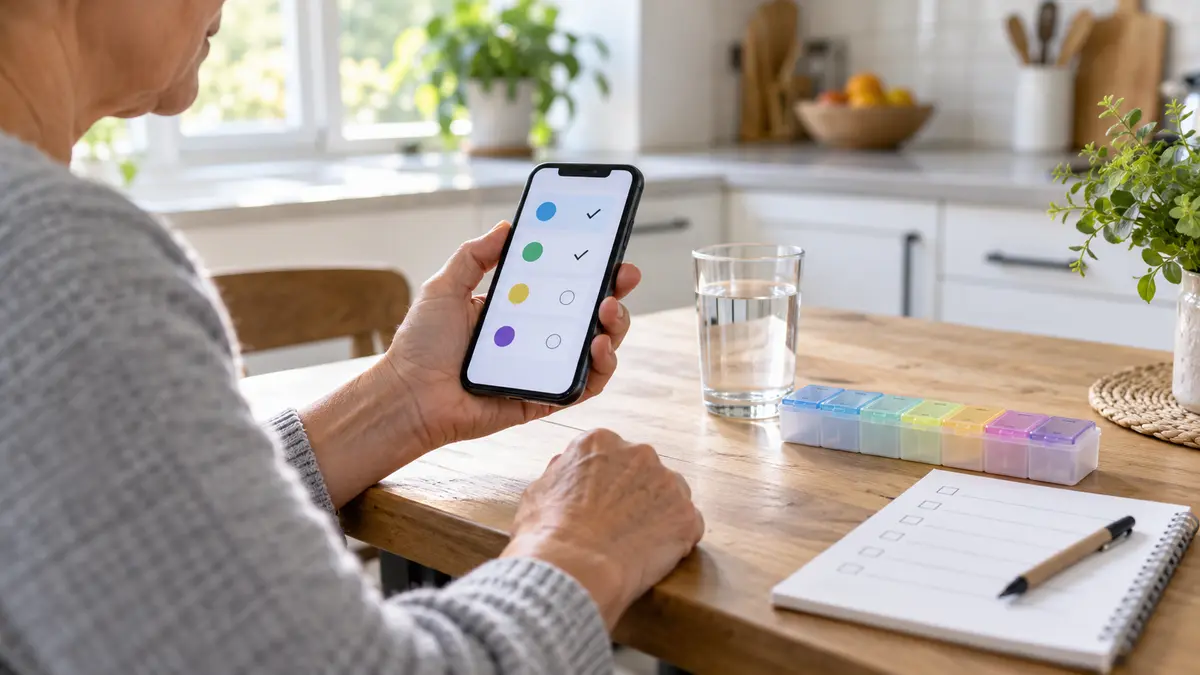
At their simplest, these apps store a medicine name, a planned time, and a notification. Many also let a person mark a dose as taken, skipped, or delayed; track refills; export a history; or invite a trusted caregiver to receive missed-dose alerts. Those features can reduce reliance on memory and create a record for future conversations.
The U.S. Food and Drug Administration lists software that tracks medicines and provides user-configured reminders among lower-risk functions for which it intends to exercise enforcement discretion. That does not mean every reminder app has been reviewed or endorsed by the FDA. The agency uses a risk-based, function-specific approach: software that only prompts is different from software that diagnoses, calculates treatment, or controls a device.
| App function | What it can help with | What it cannot establish |
|---|---|---|
| Timed notification | Prompts a planned action at a chosen time | Whether taking the medicine now is clinically appropriate |
| Dose log | Records what the user says happened | Whether a dose was actually swallowed or absorbed |
| Refill reminder | Flags a date or estimated supply level | Whether a prescription is still current |
| Caregiver alert | Signals that an entry was not confirmed | Why a dose was missed or whether urgent action is needed |
A reminder app is best understood as a memory and communication aid, not an independent medication decision-maker.
What the evidence says about adherence
A 2020 systematic review and meta-analysis of nine randomized trials involving 1,159 participants found that app-based interventions may improve self-reported medication adherence compared with control conditions. The authors also emphasized the need for larger studies examining long-term use, different populations, and which app features matter most. That caution is important: a short trial with motivated participants does not prove that any app will produce lasting health benefits for every user.
Adherence is influenced by more than forgetting. Cost, side effects, confusing instructions, difficulty opening containers, low vision, dexterity limits, depression, language barriers, unstable housing, and doubts about treatment can all affect whether a medicine is taken. A louder notification cannot solve those problems by itself.
Evidence note: reminder apps may support adherence, but the research does not justify treating them as a substitute for clear prescribing, pharmacist counseling, affordable access, or follow-up care.
Why engagement often fades
People tend to stop using tools that demand too much typing, send too many alerts, or do not fit daily life. An app may work well during the first week and become background noise later. The most sustainable setup is usually the smallest one that reliably answers three questions: What is due? What did I record? Who should I contact if something is unclear?
Who may benefit, and who may need more support
A reminder app may suit someone who already understands their regimen but occasionally loses track during busy days, travel, or shift changes. It can also help a caregiver coordinate routine prompts when everyone has agreed on roles and privacy boundaries.
Extra support is prudent when a person has memory impairment, severe vision or hearing loss, limited hand function, frequent medication changes, many prescribers, or a medicine for which timing errors could have serious consequences. In those situations, a pharmacist or clinician can help simplify the schedule, check the medicine list, recommend accessible packaging, and decide whether a monitored dispenser or direct caregiver support is appropriate.
| Situation | Reasonable starting tool | When to involve a professional |
|---|---|---|
| Occasional forgetfulness with a stable plan | Phone alarm or basic reminder app | Repeated missed doses or uncertainty about instructions |
| Several medicines at different times | App plus an up-to-date medicine list | Conflicting schedules, side effects, or refill problems |
| Caregiver coordination | Shared alerts with explicit consent | Unclear responsibility or frequent unconfirmed doses |
| Cognitive, visual, or dexterity difficulty | Accessible device and human backup | Before relying on self-entry or automated alerts alone |
Features worth prioritizing
Feature lists can be long, but reliability and clarity matter more than novelty. Look for an app that makes the current schedule obvious and allows corrections without erasing the history. Notifications should identify the intended action without exposing sensitive details on a locked screen unless the user chooses that setting.
- Simple recurring reminders that match the prescribed schedule
- Clear taken, skipped, and delayed options rather than one ambiguous check mark
- An editable medicine list with the medicine, strength, instructions, and prescriber
- Refill prompts that can be adjusted when the supply changes
- Accessible text size, contrast, sound, vibration, and screen-reader support
- Export or sharing controls that show exactly what will be sent and to whom
- A visible privacy policy and a practical way to delete the account and its data
AHRQ advises clinicians to consider electronic reminders alongside routines, pill organizers, family help, and clear medicine lists. It also notes that entering information through a connected clinical system may reduce transcription errors. Whatever tool is used, compare every entry against the pharmacy label or clinician-provided list.
Useful does not have to mean complex
A standard phone alarm may be enough for one daily medicine. A paper chart can be easier to audit than an app for someone who dislikes smartphones. A weekly organizer may show whether a compartment is still full, although it must be filled accurately and may not suit every medicine. The best tool is one the person can operate correctly on an ordinary, distracted day.
Set up a reminder app without creating new errors
Setup deserves the same care as choosing the app. A perfectly reliable reminder attached to an incorrect schedule can repeat the wrong instruction every day.
- Start with one authoritative list. Use current pharmacy labels and the medication list reviewed with a clinician or pharmacist. Include prescription drugs, over-the-counter medicines, vitamins, and supplements on the master list, even if not every item needs an alert.
- Enter instructions exactly. Do not convert “as needed,” tapering, food-related, or interval-based instructions into a fixed schedule without professional guidance.
- Test every alert. Confirm the phone is not silencing notifications through focus, sleep, battery-saving, or permission settings.
- Choose what appears on the lock screen. A discreet prompt may protect privacy while still being recognizable.
- Create a backup. Decide what happens if the phone is lost, the battery dies, the app signs out, or travel changes the time zone.
- Review after changes. Update or remove alerts promptly after a clinician changes the regimen, then compare the app against the new written list.
MedlinePlus recommends alarms, medicine charts, daily routines, and help from family or friends as memory supports. It also advises contacting a health professional when a dose is missed or when keeping track becomes difficult. Safety note: never use a generic app prompt to decide whether to double a dose or compensate for a missed one; follow the medicine-specific instructions or contact a pharmacist or prescriber.
Privacy and data-sharing questions to ask
A medication list can reveal diagnoses, treatment patterns, and daily routines. Before entering it, check what the app collects, whether it uses advertising identifiers, whether data are sold or shared, how long records are kept, and whether the account can be deleted. Review operating-system permissions too. A basic reminder usually does not need contacts, precise location, microphone, or photo access.
Do not assume that every consumer health app is protected by the Health Insurance Portability and Accountability Act. The Federal Trade Commission’s Health Breach Notification Rule covers certain health apps and similar technologies outside HIPAA and requires covered entities to notify people after qualifying breaches of unsecured identifiable health data. That protection is important, but breach notification does not prevent unnecessary collection in the first place.
| Privacy question | Lower-risk sign | Reason for caution |
|---|---|---|
| What data are required? | Only information needed for reminders | Unrelated permissions or mandatory profile details |
| Who receives the data? | Specific, understandable disclosures | Broad sharing with advertising or analytics partners |
| Can records be removed? | Clear in-app deletion process | No account deletion or retention explanation |
| How is sharing controlled? | Consent for each caregiver or export | Default public links or unclear access settings |
Be careful with caregiver access
Shared alerts can be reassuring, but they can also expose sensitive information or create confusion about responsibility. Agree on who receives notifications, what a missed confirmation means, how quickly someone should follow up, and when to contact a clinician. Remove access when caregiving arrangements change.
Common failure points and practical fixes
Notification fatigue is the most obvious failure: repeated alerts are swiped away without action. Reduce nonessential phone notifications, use a distinct sound, and require a deliberate taken or skipped entry. If the app offers snooze, choose a short, purposeful interval rather than postponing indefinitely.
Time-zone changes can shift reminders during travel. Check the app’s behavior before departure, especially for medicines with time-sensitive instructions. Daylight-saving changes, phone replacement, app updates, and restored backups can also alter notification settings. Re-test alerts after any of these events.
Manual entry introduces spelling, strength, and timing errors. A medicine history is only as accurate as its entries, so review it against labels and the clinical list. Do not let an app’s interaction checker overrule a pharmacist or prescriber; databases can be incomplete, and an alert may lack the context needed to judge relevance.
When a reminder is not enough
Contact a pharmacist, prescriber, or other qualified clinician if instructions conflict, side effects are making it hard to continue, doses are frequently missed, a pill looks different after a refill, or the regimen is too complex to manage reliably. Ask for individual advice about any missed dose. Do not stop, restart, split, or change a prescribed medicine based only on an app, online article, or automated message.
Seek urgent professional help for severe symptoms, a suspected overdose, a dangerous medication error, or a rapidly worsening reaction. A reminder app is not an emergency-monitoring service unless a regulated product explicitly says so, and even then its instructions and limitations must be followed.
How to reassess the system after two weeks
After a short trial, review the record rather than assuming the setup works. Count missed or late entries, note false alarms, and ask whether the app reduced uncertainty. Check that the schedule still matches the labels and that every important alert appears when the phone is locked.
If the system is too demanding, simplify it. Remove duplicate reminders, combine alerts only when the written instructions allow it, or switch to a chart, alarm, or organizer. If the record shows repeated difficulty, share it with a pharmacist or clinician. The goal is not a perfect streak inside the app; it is a safer, understandable routine that fits the person’s care plan.
Bottom line
Medication reminder apps can be useful memory aids, and trial evidence suggests app-based support may improve adherence for some people. Their value depends on correct setup, sustained use, accessible design, privacy choices, and a clear backup plan. They cannot determine whether a medicine should be changed, diagnose the cause of a missed dose, or replace a pharmacist’s or clinician’s guidance.
Choose the least complicated tool that reliably supports the agreed schedule. Verify every entry, review privacy settings, reassess after medication changes, and get professional help when the problem is more than forgetting.
Sources
- FDA: Examples of software functions under enforcement discretion
- FDA: Device software functions and mobile medical applications
- PubMed: Systematic review and meta-analysis of medication adherence apps
- FTC: Health Breach Notification Rule changes for health apps
- MedlinePlus: Creating a routine for taking medicine at home
- AHRQ: Help patients take medicine correctly